Write pages and articles
Write pages and articles
Snippet has two kinds of content. Pages are permanent destinations such as About or Projects. Articles are dated notes, essays, or updates. Each item keeps its Markdown, metadata, and optional assets together.
Create an item
Using the Docker helper from Start your own site:
snippet new page projects
snippet new article first-note --date=2026-08-24
The commands create these files without overwriting existing items:
content/pages/projects/page.md
content/pages/projects/meta.php
content/articles/2026/08/24/first-note/article.md
content/articles/2026/08/24/first-note/meta.php
The directory name becomes the slug: /projects/ or /articles/first-note/. Dates organize article source, not public URLs. Use lowercase ASCII letters and numbers separated by single hyphens for slugs. Titles can use any language; choose the slug yourself. Omitting --date uses the current UTC date.
Complete the metadata
An article's meta.php contains one literal array:
<?php

declare(strict_types=1);

return [
    'title' => 'My first note',
    'description' => 'What I learned while making this site.',
    'date' => '2026-08-24',
    'tags' => ['Learning', 'Personal projects'],
];
The date must match the directory. Tags retain their authored order and create archives automatically. Unicode labels work too: Café becomes the tag slug café, with its URL encoded by Snippet.
Pages require title and description, and can add a positive, site-unique menu_order. They do not accept dates, tags, or cover metadata. Metadata files are parsed as configuration without executing PHP: expressions, variables, calls, duplicate keys, and unknown fields are rejected.
Write with a small Markdown vocabulary
Use paragraphs, headings from # through ###, flat numbered or bulleted lists, triple-backtick code fences, inline code, emphasis, strong emphasis, strikethrough, links, and thematic breaks. When headings are present, begin with level one and do not skip levels later.
Raw HTML, Markdown images, tables, nested lists, and arbitrary extensions are not supported. This keeps documents predictable and safely escaped. A link label must contain text.
Add assets and an optional cover
Place downloadable files beside the Markdown, including subdirectories when useful. Link with an item-relative path such as [Download notes](notes/example.txt). Snippet copies those files beside the published item and checks local link targets. The welcome article has a real attachment and an illustration.
For an article cover, add exactly one root-level cover.jpg, cover.png, or cover.webp, and add 'cover' => true to its metadata. Optional 'alt' => 'A useful description of the image.' supplies accessible text; omission marks it decorative with an empty alt attribute. Covers appear on the article and when it is featured in full on the homepage, not on archive cards. Snippet preserves the original bytes, so prepare the image at a sensible size before adding it.
Publish when the files are ready
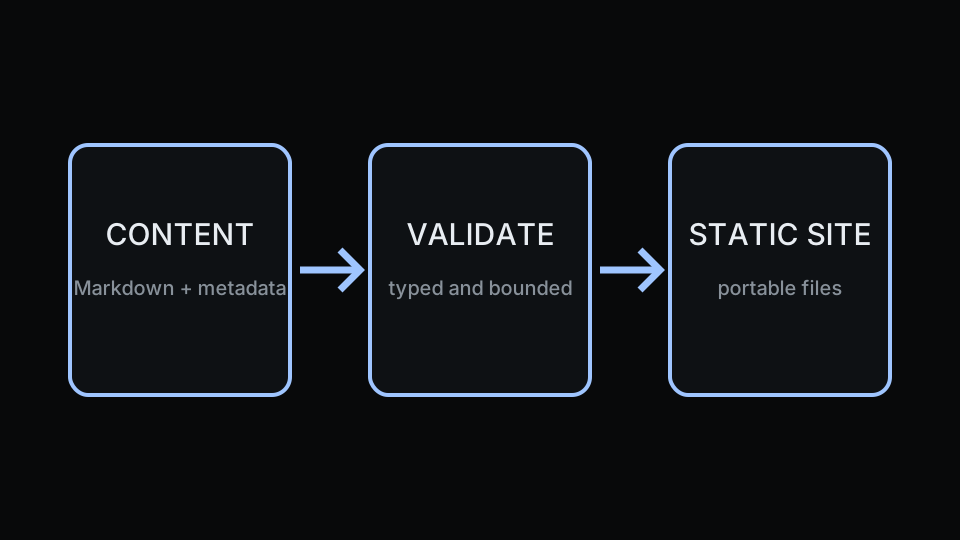
Run snippet validate after editing. Internal links must resolve to a generated page or copied asset. Root-relative links, item-relative links, and same-origin absolute links are checked; external HTTP(S) links and fragment identifiers are not.
There is no draft flag. Every discovered content item must be valid before publication. Keep unfinished writing outside content/, or on a branch that is not deployed.
Next: Configure your site.